Developer Guides
WebRTC vs Cloud Upload: Which File Transfer Is Faster?
WebRTC vs cloud upload compared: latency, NAT, same-network speed, reliability, and when each file transfer method wins.
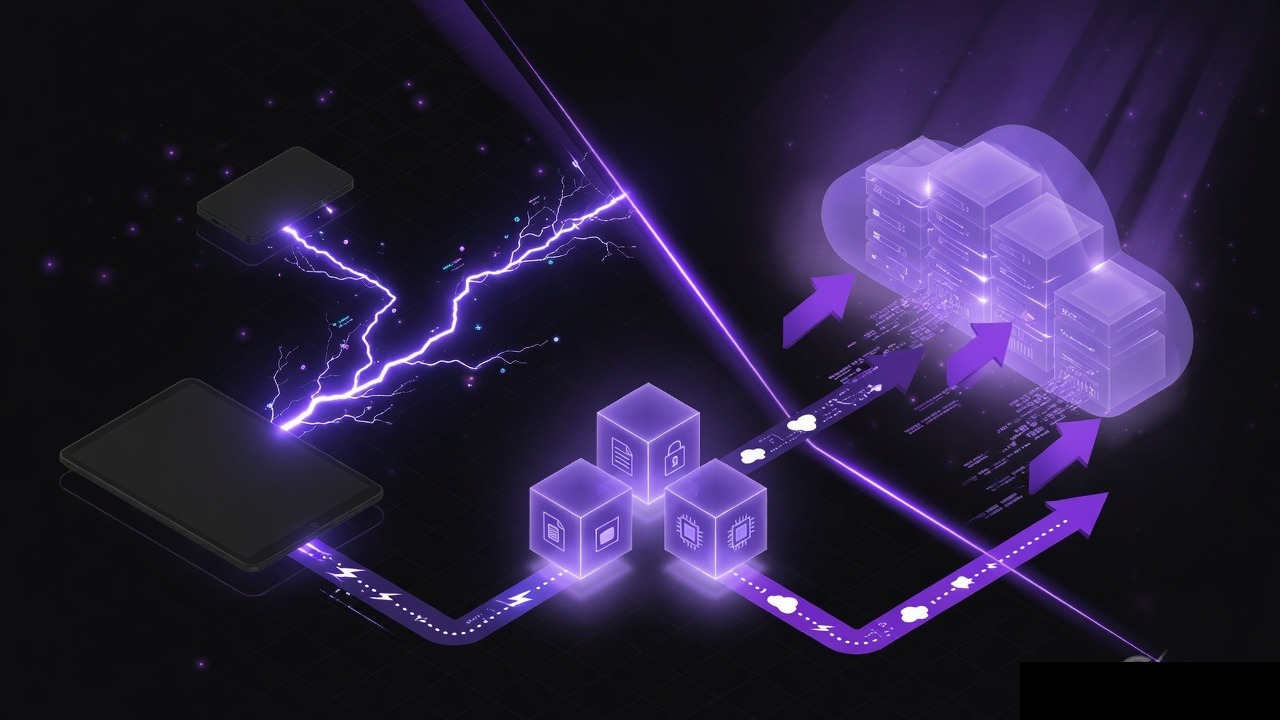
"Just send it peer-to-peer, it will be faster" is a sentence that is sometimes true and often incomplete. WebRTC can move a file from one browser to another without parking the bytes on a cloud disk. Cloud upload can move the same file when the other person is asleep, on a plane, or behind a firewall that hates UDP. Speed is only one axis, and even on that axis the winner depends on where the two machines sit.
This is a practical comparison for developers and anyone choosing a transfer path: live WebRTC data channels versus store-and-forward cloud (or room) upload. No fake benchmarks, no "10x faster" slogans. The physics are simple once you name the network you are actually on.
What each path is doing
WebRTC file transfer keeps both endpoints online. After signaling, ICE tries a direct path. If it works, chunks flow browser to browser. If it fails, a TURN relay carries the same WebRTC session through a server. Either way, the receiver must be present.
Cloud upload (including temporary rooms that accept HTTP chunked uploads) sends the file to a server first. The receiver downloads later over ordinary HTTPS. You pay for storage and for two trips across the internet: up, then down. You gain time independence and NAT simplicity.
Those are different products that sometimes share a UI label called "send file."
Latency vs throughput
People mix these up.
- Latency is how long until the first byte is useful. WebRTC can start streaming to the other tab as soon as the data channel is up. Cloud upload usually cannot start the download until enough of the object exists, and many UIs wait for the entire upload.
- Throughput is how long the whole file takes. That is capped by the slower relevant link, congestion, and whether a relay sits in the middle.
A 4 GB video on the same Wi-Fi can finish in seconds over a LAN candidate and take minutes if you upload to a region across an ocean and download again. The same 4 GB between two phones on different mobile networks may be slower on WebRTC if ICE picks TURN in a distant region, or if one uplink is terrible.
Same network vs remote: the real speed split
Same LAN, same room, same office Wi-Fi
WebRTC (or any local path: AirDrop, Nearby Share, SMB, a USB cable) usually wins on throughput. Host ICE candidates never leave the building. You are limited by Wi-Fi or Ethernet, not by the building's upload to the ISP.
Cloud upload on the same LAN is often the worst case for large files: every byte goes out to the internet and back, sometimes through a full-duplex bottleneck on a single cable modem. The only time cloud still feels fine locally is when the file is small or the "cloud" is actually an on-LAN appliance.
Remote, home to home
Now both uplinks matter.
- WebRTC direct: time is roughly `size / min(sender_up, receiver_down)` plus ICE setup. You do not pay a second full upload.
- Cloud: time is `size / sender_up` plus `size / receiver_down` plus whatever the storage path adds. The receiver can start later, which is a feature, not a speed feature.
If the sender has 20 Mbps upload and the receiver has 200 Mbps download, a direct path is about one upload. A cloud path is one upload and one download. The download is cheap in this example. The extra cost is mostly time until the object is fully stored, plus server location.
Remote, but ICE fails
If WebRTC falls back to TURN, you are back to a server in the middle. Throughput becomes `size / min(sender_up, turn_capacity, receiver_down)` and latency includes the relay region. A well-placed TURN node can be comparable to a well-placed object store. A TURN node on another continent is a self-inflicted speed tax.
This is why "WebRTC is faster" is not a property of WebRTC. It is a property of the candidate pair you actually got.
NAT, firewalls, and reliability
Speed does not matter if the session never starts.
WebRTC has to win ICE:
- Easy consumer NAT: STUN often enough, direct path likely.
- Symmetric NAT, CGNAT, many mobile networks: direct path often fails.
- Corporate firewalls, UDP blocks, picky VPNs: TURN or give up.
- One tab backgrounded on iOS: the live transfer can freeze.
Cloud upload over HTTPS on port 443 is the path every hotel and office already allows. Reliability is boring in a good way: retries, resumable chunked uploads, and a receiver who can refresh the page tomorrow.
Reliability also includes human scheduling. If the other person cannot stay online, WebRTC's theoretical LAN speed is zero because the channel never opens. A temporary room or object store wins by default.
Mobile and "both stay on this screen"
Live P2P assumes two awake browsers. Phones sleep. People switch apps. Laptops close. If your users are on mobile, measure the failure rate of live transfers before you bet the product on them. A hybrid is common: try data channels when both peers are present; otherwise fall back to chunked HTTP upload.
When each method wins
WebRTC (direct) tends to win when:
- Both people are online now.
- Devices are on the same LAN, or both have decent un-NATed paths.
- The file is large enough that a double internet hop would hurt.
- You do not need a server-side copy for audit or antivirus.
Cloud or room upload tends to win when:
- The receiver will download later.
- You cannot run a global TURN fleet.
- Networks are hostile to UDP.
- More than two people need the same file.
- You want progress that survives a phone lock, via chunked upload resume.
- You need a link you can paste into a ticket.
Temporary browser rooms sit in the cloud-upload family even when they feel like chat. [PeerPizza](/) is one such option: no account, room code, optional PIN, chat plus files, chunked uploads without a fixed per-file size cap, and automatic cleanup after about two hours of inactivity. Use it when you want a same-day handoff without keeping a cloud drive. Keep your own backup. Expiry is the product, not a bug.
USB, AirDrop, and Nearby Share still beat both when you can walk across the room.
Security is not the tie-breaker people think it is
WebRTC data channels are DTLS-encrypted. HTTPS uploads are TLS-encrypted. Both can be done well or badly.
- Direct WebRTC reduces how long a complete copy sits on a server you do not own. TURN and signaling servers still exist.
- Cloud upload creates a server-side object. That is a risk and a feature (scan it, expire it, audit it).
- The usual failure is sending the link or room code to the wrong person, not an attacker breaking TLS on the coffee-shop Wi-Fi.
If the file is highly sensitive, think about expiry, PIN or auth, and whether a server copy is allowed—not about which acronym sounds more peer-to-peer.
Cost and operational load
Direct WebRTC is cheap on bandwidth when it stays direct. The moment you add TURN for the pairs that cannot connect, you are paying relay egress, often at the worst possible traffic shape (large files).
Cloud upload always pays storage and egress, but the cost is predictable and the engineering is well understood. For a small product, a short-lived object and a signed URL can be cheaper than a highly available TURN mesh. For a same-office tool, you may pay almost nothing if ICE stays local.
There is no universal cheaper. There is only where your users fail to connect.
Troubleshooting "why is this so slow"
WebRTC is slow on the same Wi-Fi
- You may not be on a host candidate. Log the selected pair. If you see a `relay` or a public `srflx` address, the bytes left the building.
- Guest Wi-Fi client isolation blocks LAN host candidates. People look local and are not.
- One device is on cellular while it still shows the office SSID in a screenshot from earlier.
Cloud upload is slow in the same office
- You are paying the ISP uplink twice. Use local transfer or an on-LAN share.
- The bucket region is far away. Pick a closer region or a CDN that is actually near both sides.
- The uploader is on a phone hotspot.
WebRTC never connects, so "speed" is infinite
- Add TURN, or stop calling it a WebRTC-only product.
- Check VPNs and corporate UDP policy.
- Confirm signaling delivers ICE candidates both ways.
Transfer starts fast then dies
- Mobile tab frozen. Ask them to keep the browser in the foreground, or switch to chunked HTTP.
- TURN quota or rate limit.
- Browser memory pressure from reading the whole file at once. Chunk it.
Side-by-side comparison
| Factor | WebRTC data channel | Cloud or room upload |
|---|---|---|
| First byte to a waiting peer | Often faster (stream) | Often waits on upload |
| Same-LAN throughput | Usually best | Often worst (up and down the WAN) |
| Remote, direct ICE success | One internet hop | Two hops (up then down) |
| Remote, TURN or bad NAT | Similar to cloud, plus live requirement | More reliable |
| Receiver offline | Fails | Works later |
| Firewall friendliness | Needs ICE/TURN help | HTTPS 443 |
| Server copy | None if truly direct | Yes, until expiry |
| Multi-recipient | Mesh or extra work | Natural |
Final thoughts
WebRTC is faster when the path is local or cleanly peer-to-peer and both people can stay online. Cloud upload is faster to a successful finish when NAT is ugly, when someone will download later, or when you would have used TURN anyway. Measure the candidate pair and the two uplinks, not the blog post that called P2P magic. Offer a fallback. For same-day, no-account handoff, a temporary room with chunked upload is a valid cloud-style choice beside Drive links and signed URLs. Keep the original file. Speed does not matter if the only copy lived in a tab that closed.
Try PeerPizza: free temporary rooms to chat and share files — no signup, room codes, optional PIN, auto cleanup. Open home